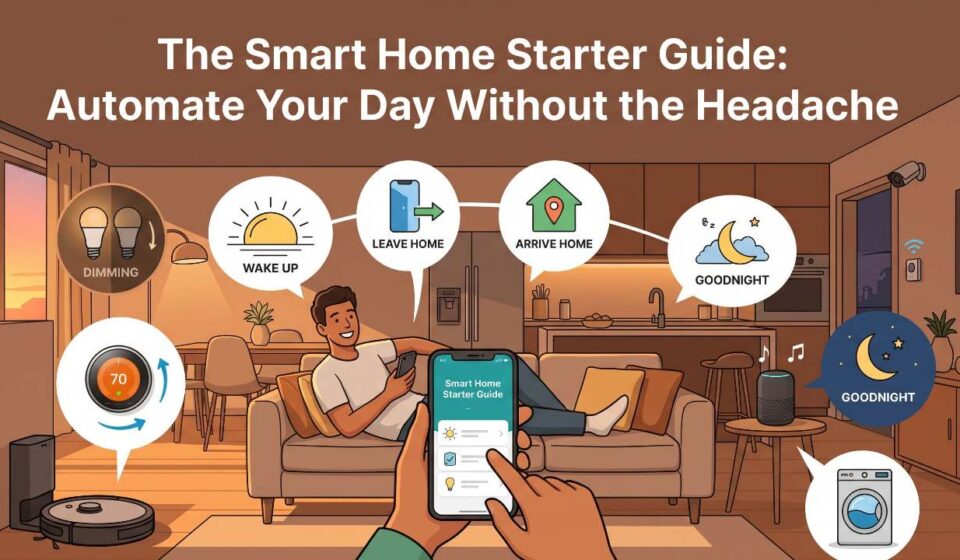

Walking into a dark house with your arms full of groceries is an experience everyone shares. You fumble for a switch with your elbow, bump your shin against a coffee table, and wonder why everyday routines still feel so manual.
The promise of a smart home is simple: your living space adapts to your schedule, saves energy, and handles small repetitive tasks in the background. Yet, many people avoid setting one up because it looks like an expensive, tangled mess of competing apps and buggy gadgets.
Building an automated home does not require an engineering degree or a massive tech budget. By picking a single ecosystem, focusing on genuine daily friction points, and adding hardware slowly, you can build a reliable system that works seamlessly.
1. Pick One Ecosystem First (And Stick to It)
The single biggest mistake new smart home owners make is buying whatever device looks cool on sale. When you do that, you end up with six separate apps, five logins, and devices that refuse to talk to each other.
Before spending money on gadgets, choose the central platform that acts as your home’s “brain.”
| Platform | Best Suited For | Key Advantages | Potential Friction |
| Amazon Alexa | Broad hardware compatibility | Works with almost every third-party brand; affordable smart speakers | Aggressive voice promotions; busy mobile app interface |
| Google Home | Android users and Google ecosystem fans | Superior voice processing; clean mobile interface | Occasional routine glitches; frequent device rebranding |
| Apple Home (HomeKit) | Dedicated Apple hardware users | End-to-end privacy; near-instant local execution | Higher device costs; strict certification requirements |
If you are buying new equipment today, keep an eye out for the Matter logo on the box. Matter is a universal smart home standard supported by Apple, Google, Amazon, and Samsung. Devices bearing the Matter logo can connect to any major platform without proprietary lock-in.
2. The Core Hardware: Three Upgrades Worth Making
You do not need motorized blinds or internet-connected refrigerators to feel the benefits of automation. Start with these three high-impact categories:
Smart Plugs: The Inexpensive Problem Solvers
Smart plugs are the unsung heroes of home automation. They sit between your wall outlet and any standard mechanical appliance.
-
Space heaters and fans: Cut power automatically when you leave the room.
-
Lamps: Turn antique or decorative floor lamps into voice-activated fixtures.
-
Morning routines: Have your electric kettle or drip coffee maker switch on five minutes before your alarm rings (as long as the appliance has a mechanical on/off switch).
Smart Lighting: Ambience Meets Utility
Instead of replacing entire light fixtures, swap out standard bulbs in high-use areas. Smart bulbs let you automate brightness and color temperature throughout the day. Cool white light (4000K) helps with focus during work hours, while warm amber light (2200K) signals your brain to wind down after sunset.
Pro Tip: Never buy smart bulbs for an overhead fixture controlled by a regular wall switch if household members tend to flip the wall switch off. Once cut from physical power, smart bulbs cannot receive wireless signals. For overhead lights, a smart wall switch is often the better long-term investment.
Smart Thermostats: Measurable ROI
A smart thermostat is one of the few automated devices that actively pays for itself. Models from brands like ecobee or Nest learn your home’s thermal profile and automatically adjust heating and cooling when sensors detect that the house is empty. Lowering heating or air conditioning during peak utility hours can noticeably trim monthly energy bills.
3. Four Real-World Automations That Actually Save Time
A smart home shines when you stop controlling things through phone apps and let automated routines take over. Here are four practical routines to configure first:
The “Good Morning” Sequence
-
Trigger: Your morning phone alarm stops, or a motion sensor detects hallway activity between 6:00 AM and 7:00 AM.
-
Actions:
-
The bedroom lamps illuminate slowly at 30% warm brightness over ten minutes.
-
The thermostat warms the living space by two degrees.
-
A smart plug boots up the coffee maker.
-
The “Leaving Home” Safeguard
-
Trigger: Your smartphone crosses an invisible geographic boundary (geofencing) 200 feet from your home.
-
Actions:
-
All interior lights turn off instantly.
-
The thermostat switches to an eco-friendly standby temperature.
-
Smart plugs running potentially hazardous items (curling irons, space heaters) cut power completely.
-
The Midnight Path
-
Trigger: A motion sensor placed under the bed or along the baseboard detects foot movement between 11:00 PM and 5:00 AM.
-
Actions:
-
Hallway and bathroom accent lights turn on at an ultra-low 5% red or deep amber hue.
-
The lights shut off automatically after two minutes of zero motion, preserving your night vision and sleep state.
-
The Sunset Transition
-
Trigger: Local astronomical sunset time (tracked automatically via your hub).
-
Actions:
-
Porch and patio lights turn on for security.
-
Living room floor lamps illuminate in warm white.
-
Window shades lower to provide evening privacy.
-
4. Solidifying Your Network Foundation
Every smart gadget you add to your home communicates over wireless frequencies. Most budget smart gadgets run exclusively on the older 2.4 GHz Wi-Fi band, which provides broad range through walls but crowds quickly.
If you connect 25 smart bulbs, plugs, and cameras directly to a basic ISP-supplied router, your network will eventually choke, causing dropped signals and slow responses.
To prevent connection drops:
-
Split your Wi-Fi bands: Give your 2.4 GHz and 5.0 GHz networks separate names (SSIDs) in your router settings so budget devices don’t struggle to negotiate dual-band routers.
-
Consider a mesh Wi-Fi system: Mesh systems distribute small satellite nodes across your living space, giving outdoor cameras and basement sensors an uninterrupted connection.
-
Explore Thread and Zigbee: As your setup expands beyond ten devices, look into accessories using low-power mesh networks like Zigbee or Thread. These protocols keep traffic off your central Wi-Fi network and route commands locally from device to device.
Frequently Asked Questions
Do smart homes still work if the internet goes down?
It depends on how commands are routed. Basic routines that rely on cloud servers (like standard Alexa or Google commands) will pause until internet service returns. However, platforms utilizing local control (like Apple Home or Home Assistant), along with Matter and Thread devices, continue executing schedule-based and sensor-based automations entirely within your local local area network, even with the broadband connection unplugged.
Will smart devices cause a spike in my electric bill?
No. Smart devices consume a negligible amount of standby power—typically between 0.5 to 2 watts per device. In practice, the energy saved by automating heating schedules, shutting off unused lamps, and eliminating phantom power draw with smart plugs far outweighs the minimal electricity these sensors use.
Are smart home gadgets safe against hackers?
Smart home security comes down to router hygiene. Change the default administrative passwords on your Wi-Fi router, enable two-factor authentication (2FA) across every smart home platform account, and create a separate “Guest” Wi-Fi network purely for your IoT (Internet of Things) gadgets. Isolating gadgets on their own subnet prevents compromised hardware from accessing personal computers or phones on the main network.
Should I rent-proof my smart home setup?
Yes, renters can easily automate without losing their security deposit. Stick strictly to non-destructive hardware: use plug-in adapters instead of replacing hardwired wall outlets, use battery-operated wireless buttons fixed with removable adhesive strips, and swap light bulbs instead of tearing into wall switch electrical boxes. Keep the original parts in a labeled bin so you can restore the apartment when your lease ends.